A practical resource for embalmers

Embalming fluids,
dilution and
case reports.

I developed EmbalmPro as an embalming reference app that brings fluid information, case analysis, a dilution calculator, safety data sheets and embalming reports together. Its purpose is to provide a practical reference for the student and the experienced embalmer.

For iPhone, iPad and Android · Free to download · Subscription required · $39.99/year in the U.S.

Now available on Google Play for Android.

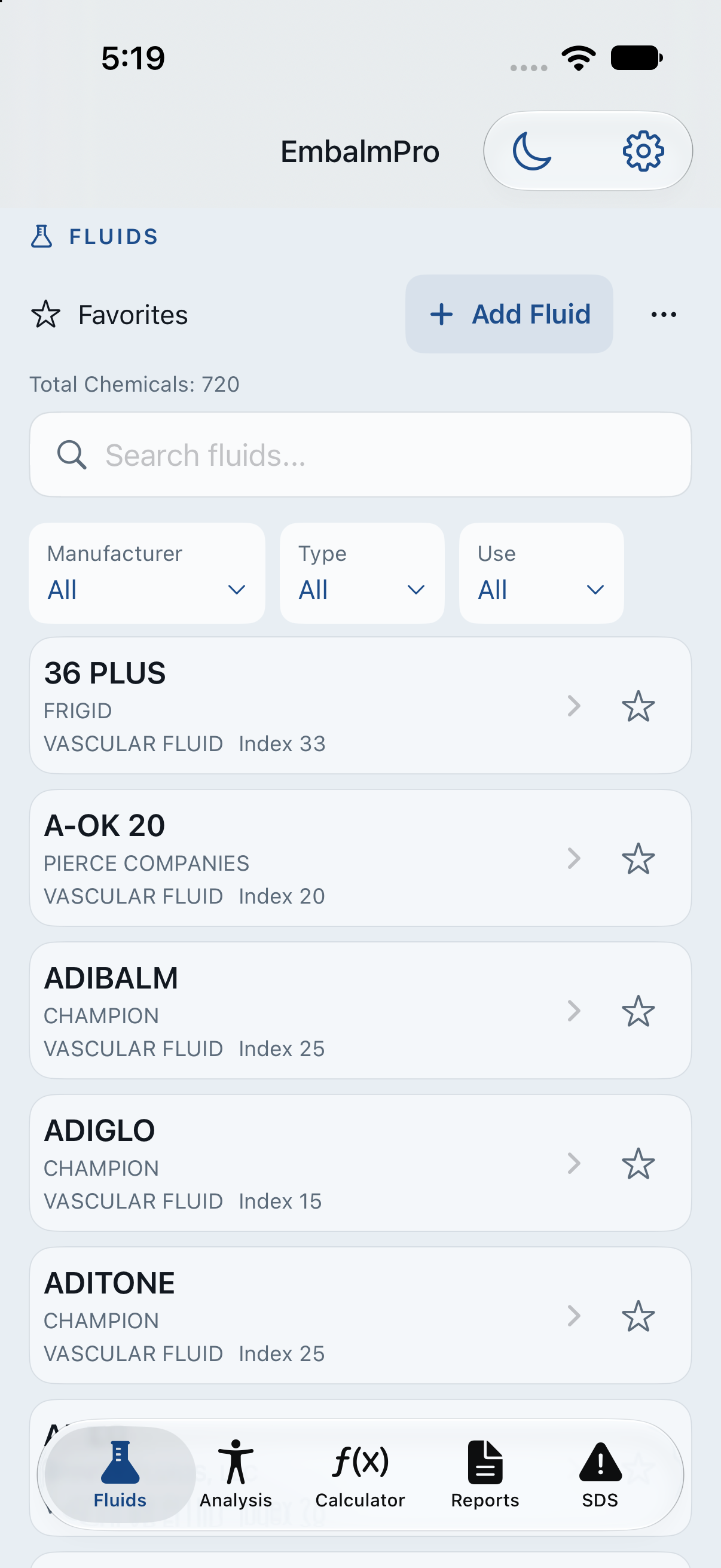
EmbalmPro fluids database with product search and manufacturer, type and use filters
EmbalmPro in practiceProduct information and calculations available during the case.

The five main functions

Information for the case.
A record of the work.

An embalmer can begin with a condition, examine a fluid and continue to a calculation or report. Each function can also be used independently.

01 / Fluids

Find and compare
embalming fluids.

I wanted a searchable fluid database that would make product information easier to find and compare. An embalmer can examine products across manufacturers or limit the search to the companies used by the establishment.

  • Search the fluid database and filter by manufacturer, type and use.
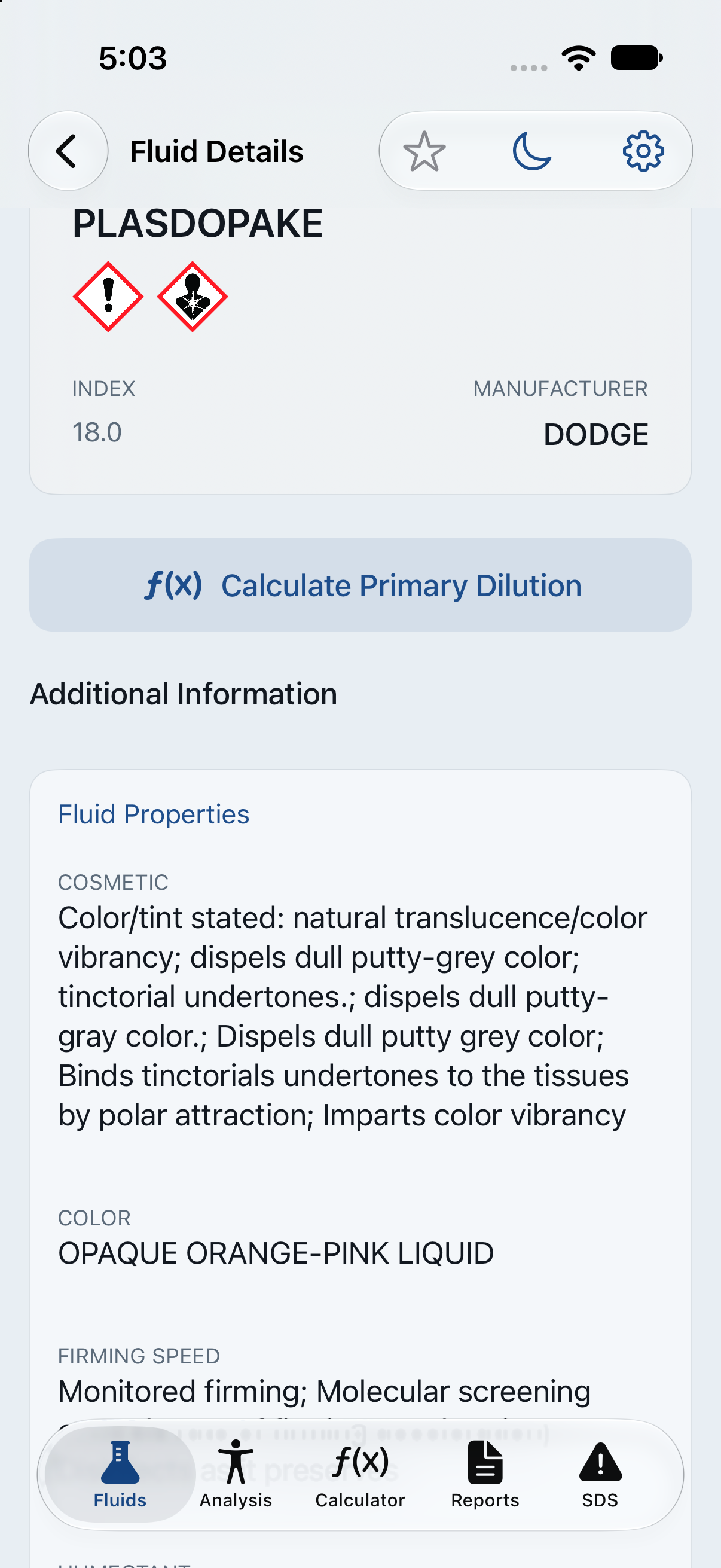
  • Review available fluid indexes, product characteristics and manufacturer instructions.
  • Keep favorites close and add your own product records.
Embalming fluid product information and manufacturer reference in EmbalmPro
Embalming fluid product information
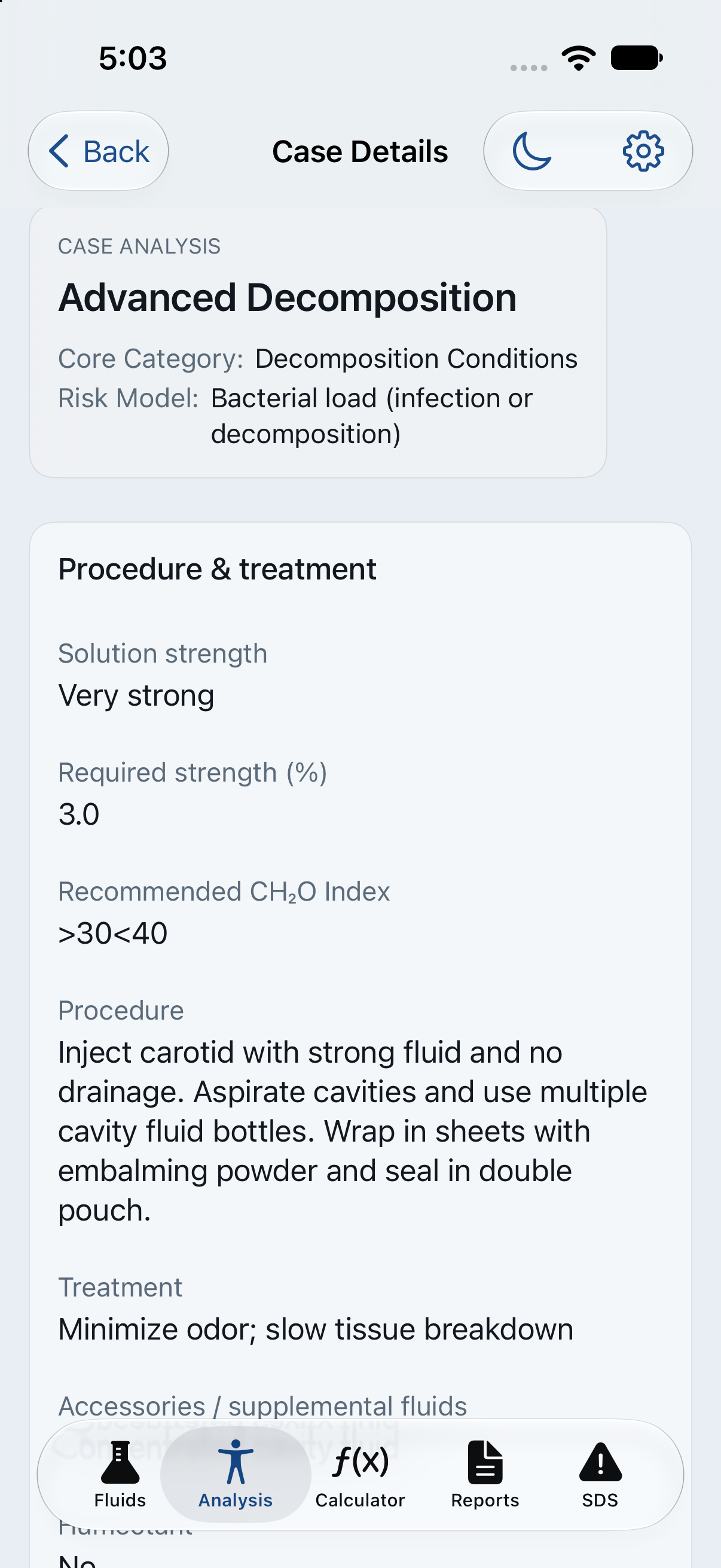
Embalming condition details with case analysis guidance in EmbalmPro
Condition information and treatment guidance
02 / Analysis

Embalming conditions
and case analysis.

The current reference includes 115 embalming conditions. Available records provide treatment guidance, arterial solution strengths and fluid index ranges that the embalmer can consider during case analysis.

  • Review suggested embalming fluids within a condition’s stated index range.
  • Limit suggestions to the manufacturers you use.
  • Calculate dilution for a fluid already in your cabinet.

The condition record provides a starting point. The embalmer must assess the body and determine the treatment.

03 / Calculator

Embalming fluid
dilution calculator.

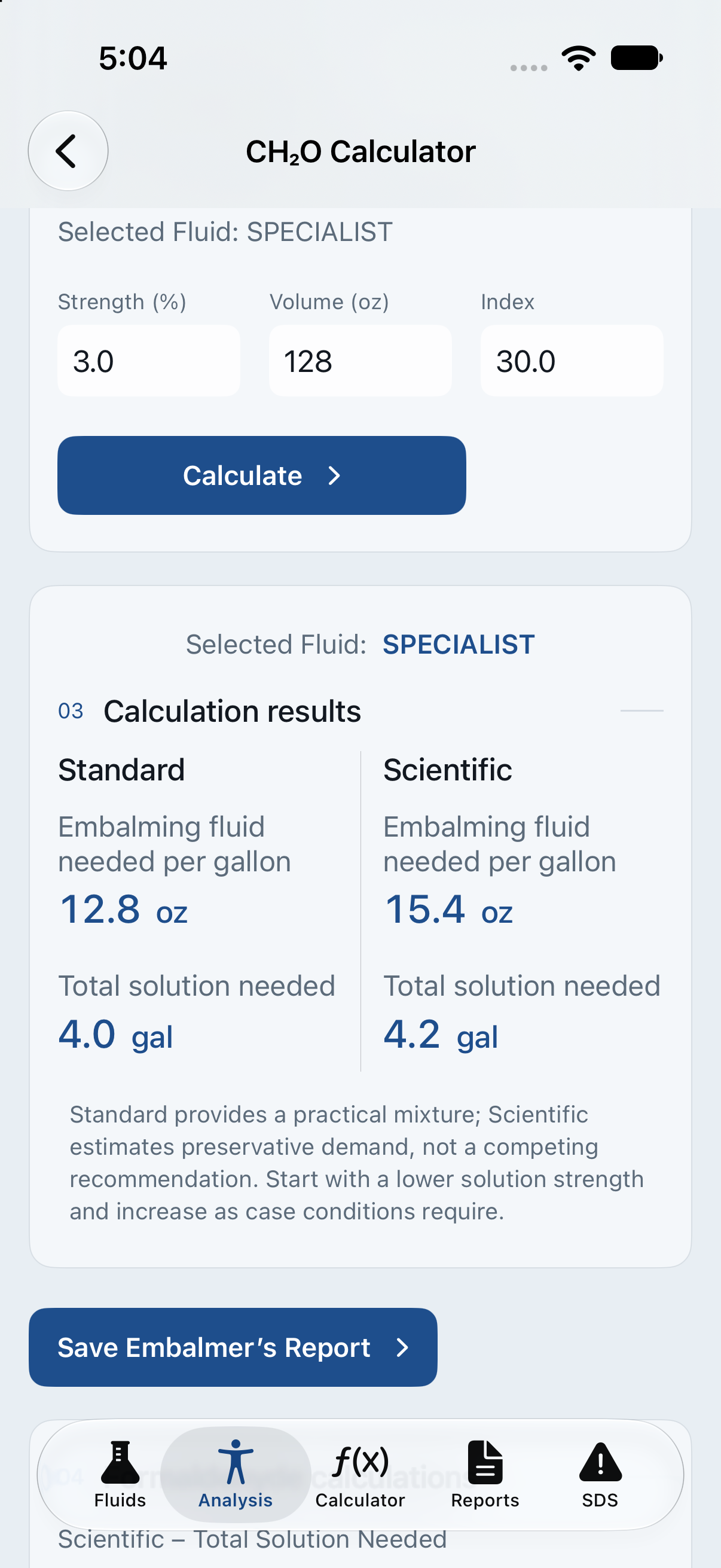
The Standard calculation uses the fluid index, desired solution strength and total solution volume to determine the amount of concentrate. The formulas are shown so the embalmer can examine how the result was obtained.

In addition, the Scientific calculation estimates formaldehyde demand from estimated body composition. I included this method to provide another way of examining the case. It is an estimate, and the final treatment remains a matter of professional judgment.

Embalming fluid dilution results in the EmbalmPro calculator
04 / SDS

Safety data sheets
and SDS access.

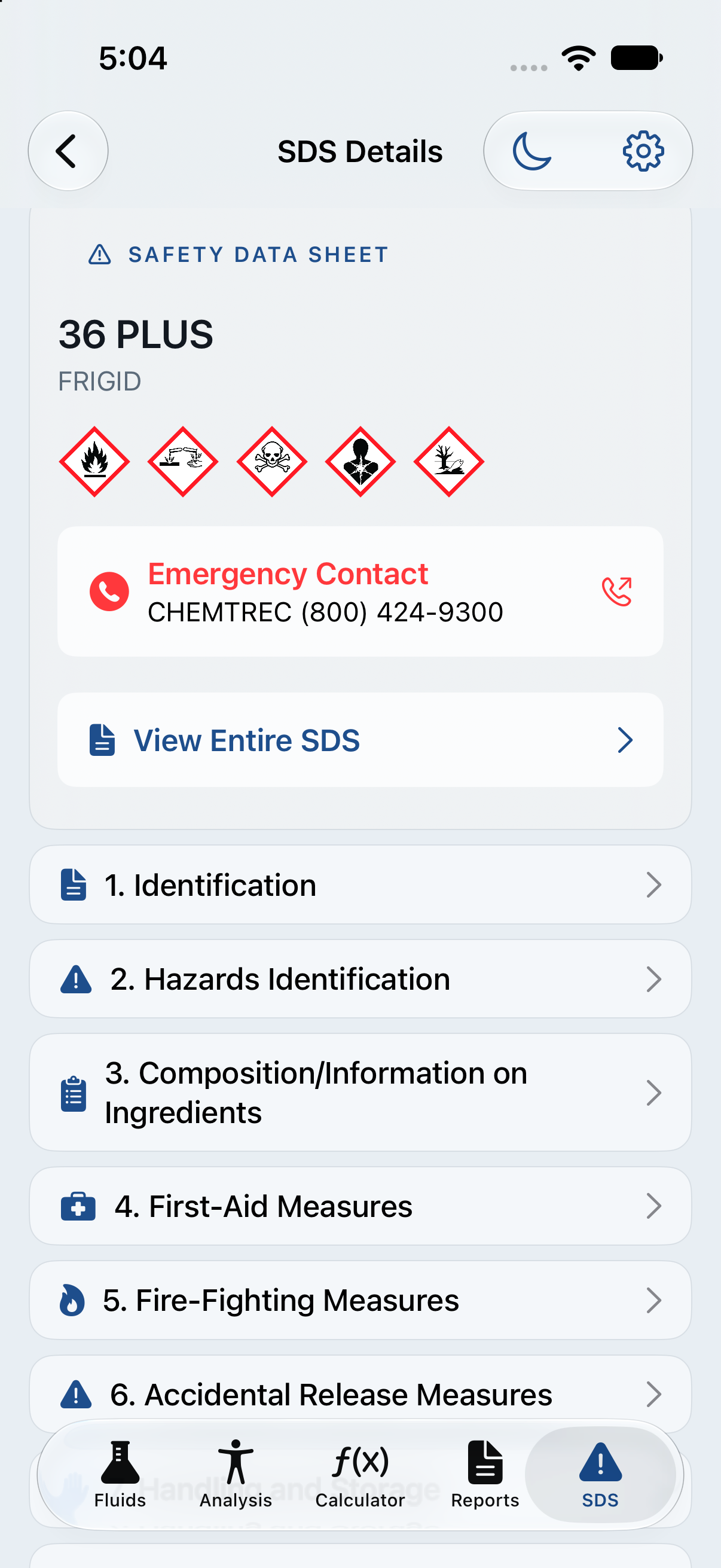
The SDS section provides stored safety information for embalming fluids and preparation room chemicals. An embalmer can locate a product and read the relevant section for hazards, handling, protective measures or first aid.

SDS information can be opened from a product or searched directly. The employer must maintain current required manufacturer sheets and the access arrangements required by OSHA. The app alone does not establish compliance.

EmbalmPro SDS details for Frigid 36 Plus with hazard pictograms, emergency contact and safety sections

Safety information in the app

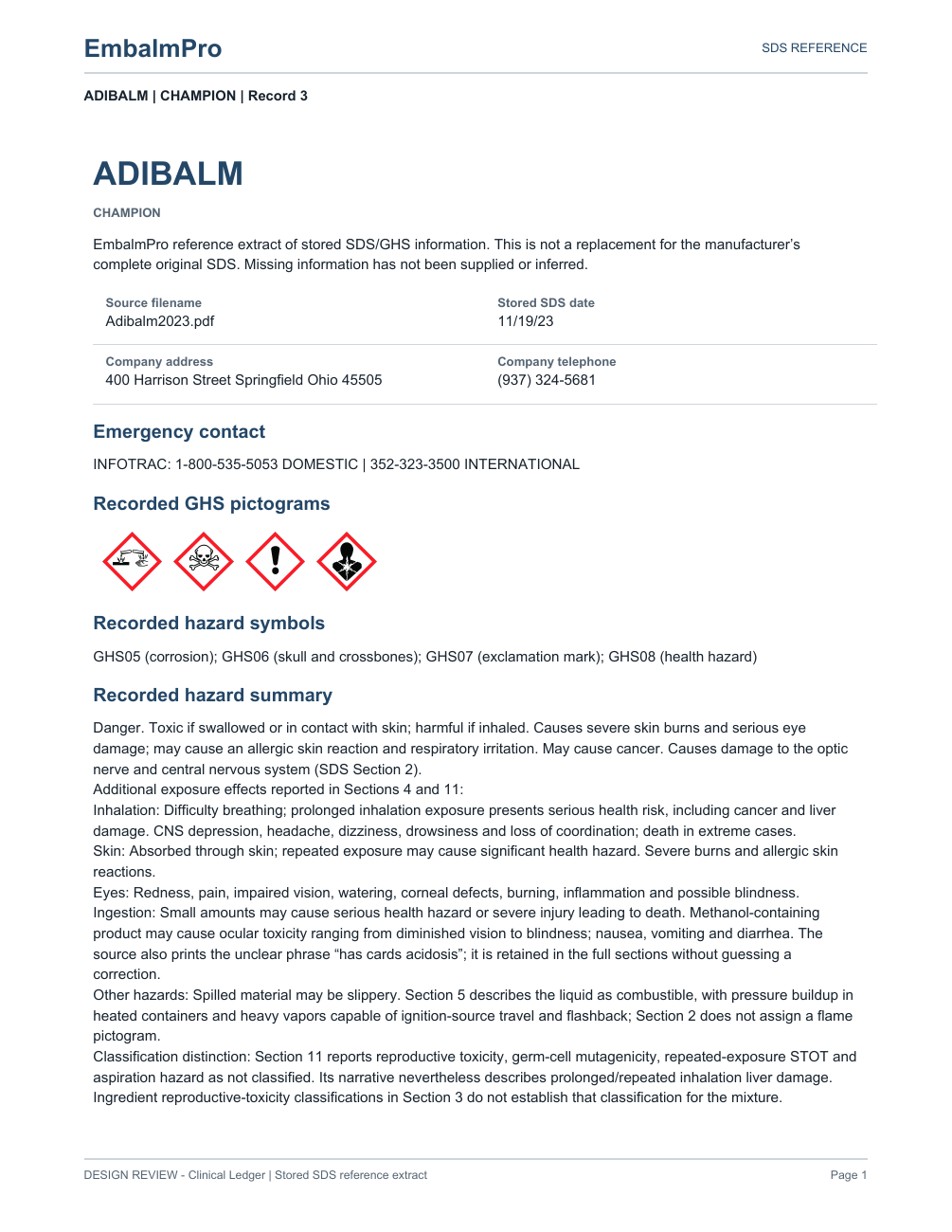
Printed EmbalmPro SDS reference showing product information, GHS hazard pictograms and recorded hazard summary
Printed SDS reference. Stored safety information presented for review and printing. This reference does not replace the manufacturer’s complete original SDS.
View sample SDS reference PDF ↗
05 / Reports

Embalmer’s reports
and professional case history.

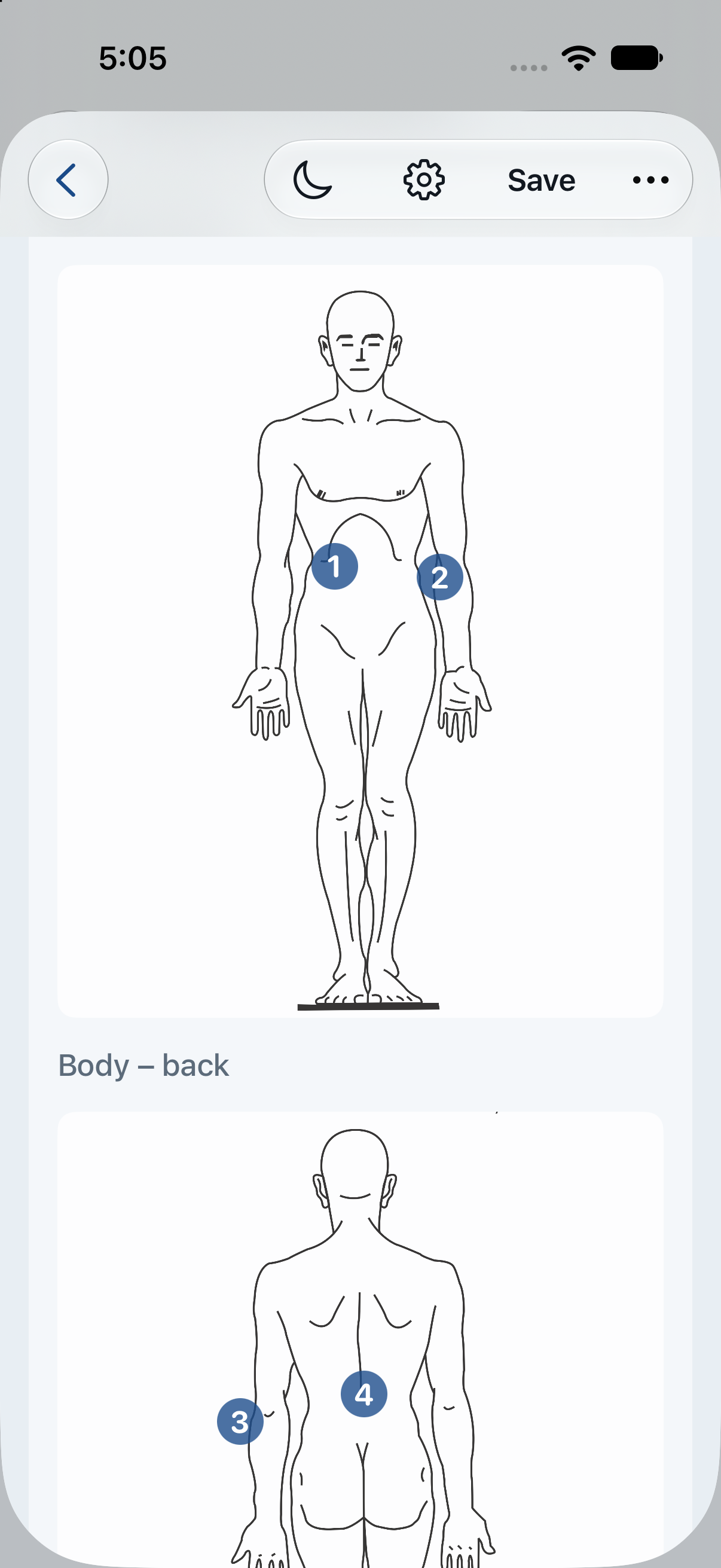
I consider the embalmer’s report one of the app’s most valuable functions. It preserves the conditions observed, the products used and the work performed. Over time, these reports can become a record of the embalmer’s career and a reference when a similar case is encountered.

  • Document conditions, fluids, solution details, procedures and results.
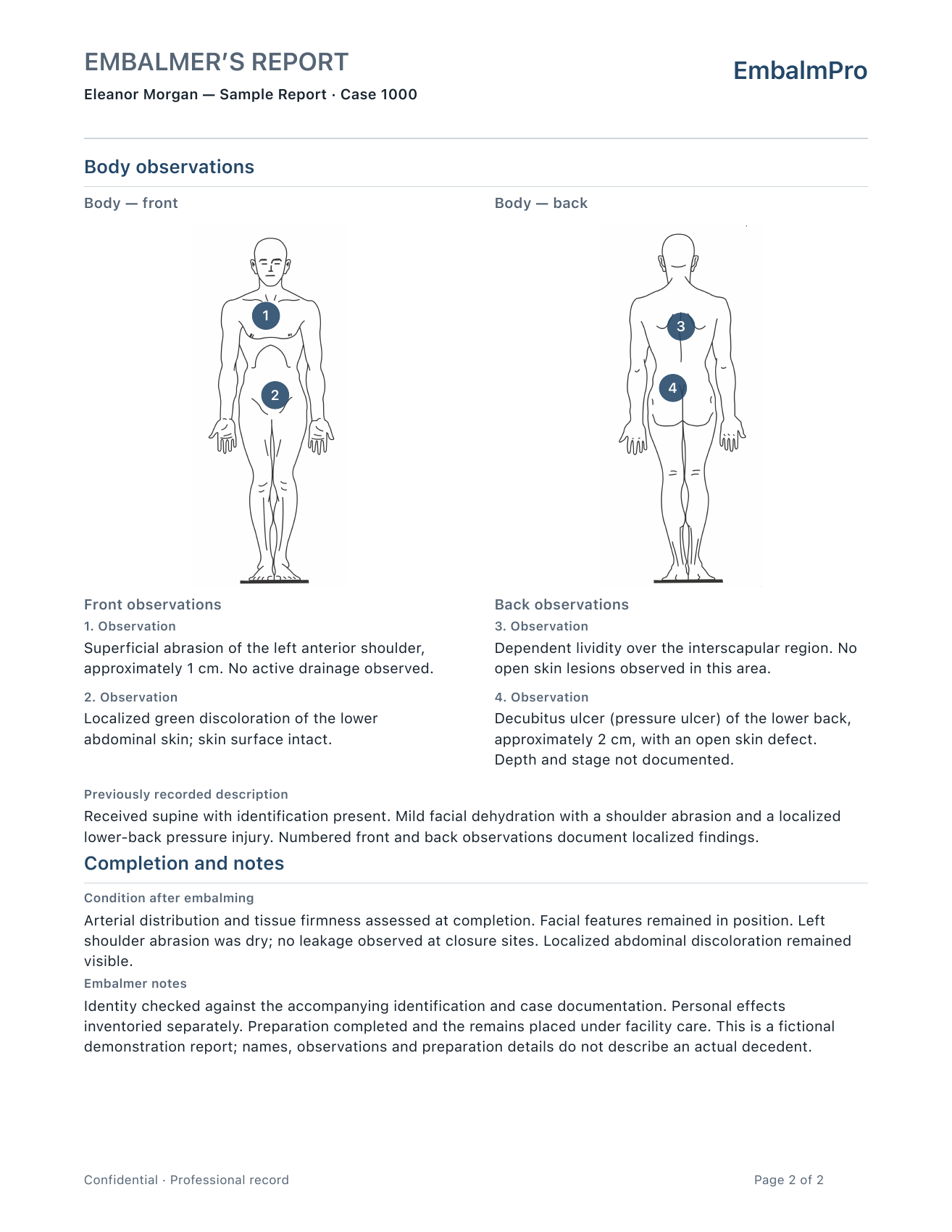
  • Connect observations to front and back body diagrams.
  • Export professional PDF reports to review, print and retain.

Record the case in the app. Export the completed report.

EmbalmPro app screen showing the embalming report and case history
The report section in the app
Sample printed embalmer’s report with front and back body diagrams, numbered observations and completion notes
Sample report, page two. Body diagrams connect numbered observations to the written record. All case details in this demonstration are fictional.
View complete sample report PDF ↗

Purpose and professional background

Why I developed
EmbalmPro.

I developed EmbalmPro from my mortuary education and more than 20 years of professional experience. Before retiring, I was licensed as an embalmer, funeral director and crematory operator. During my career, I also earned the Certified Funeral Service Practitioner (CFSP) designation. I found that the information needed for one case was often spread among catalogs, textbooks, safety data sheets and report forms. EmbalmPro brings those resources together for use during the work.

I wanted to bring those resources together in a form that could be consulted during the work. A student can study dilution mathematics. A practicing embalmer can review an unfamiliar condition or product. An experienced embalmer can examine a calculation and retain a report. Embalming is both an art and a science, and the practitioner remains responsible for the final decision.

Watch the app walkthrough ↗See the workflow ↗

Practical questions

Using the app
during a case.

The following questions explain how the main functions can be used.

What would I use EmbalmPro for during an actual case?

I developed EmbalmPro to bring several parts of the embalming process into one place. You can review fluid information, look up a case condition, calculate dilution, consult available safety data sheets, and prepare an embalming report. You can use each function independently or carry available information from a case analysis into a calculation and report. The purpose is to provide a practical reference while you evaluate and document the case.

I already have experience embalming. How would this app help me?

Experience provides a foundation for evaluating a case and observing how the tissue responds. I developed the app to provide an additional reference for that work. An experienced embalmer can compare available product information, check dilution arithmetic, review an unfamiliar condition, or document the preparation. No calculation can replace case analysis, observation of tissue response, or professional judgment.

Does it work with the fluids I already have, or only certain manufacturers?

EmbalmPro includes an extensive database of embalming fluids from many manufacturers. You can search by product name or filter by manufacturer and fluid type. If your fluid is not listed, you can add it or enter its index directly into the calculator. Consult the manufacturer’s instructions when evaluating a product for the case.

Can I add or edit fluids and case analysis conditions?

Yes. You can add fluids and additional conditions in Case Analysis. You can also edit existing fluid and condition records to include information relevant to your practice. Use current manufacturer information when entering or updating fluid details.

Can I create a report without doing a calculation first?

Yes. Open Reports and select Add Report to begin an independent embalming report. You can enter the case information, chemicals used, preparation details, and your observations without using the calculator. The report also provides front and back body diagrams for numbered observations. You can save the report in the app and export a PDF for your records.

What happens to my saved reports if I replace or lose my phone?

Reports are stored on your device. I do not maintain a separate copy that I can send back to you if the device is lost or replaced. Export important reports and keep those copies in a location you control. The current iOS version also provides a report archive export, but it does not have an in-app archive import or restore function. A PDF preserves a readable report; it does not restore an editable case record inside the app.

What happens to my saved reports if my subscription ends?

Ending the subscription does not itself delete your saved reports. However, the current iOS version requires an active subscription to access them. Export any reports you need before your subscription ends, and keep those copies outside the app for future reference.

For the next iOS release, I plan to allow access to existing reports for viewing, printing, and export, including ZIP archives, after a trial or subscription ends. Creating or editing reports would still require an active subscription.

Can I try all the features before paying, and when would I be charged?

The app is free to download. Eligible new subscribers can start a seven-day free trial that provides access to all five main functions. Downloading the app alone does not start the trial. You must confirm the subscription through the App Store or Google Play.

After the trial, the subscription automatically renews at $39.99 per year in the United States unless canceled. Prices vary by country or region. Your store’s confirmation shows your trial eligibility, applicable price and billing terms before you agree. If you do not wish to continue, cancel through your Apple subscription settings at least 24 hours before the trial ends, or through Google Play before the trial ends.

Does SDS access make my workplace OSHA compliant?

OSHA permits electronic safety data sheets when employees can access the required information immediately during their work shift. Electronic copies can meet the SDS access requirement without maintaining a paper binder as the primary system.

The employer remains responsible for the required SDS, employee training, and a reliable backup, which may be paper copies or another accessible electronic system. EmbalmPro supports SDS viewing and printing, but using the app alone does not establish workplace compliance.
Availability and subscription

Examine the tools
during the free trial.

EmbalmPro is free to download for iPhone, iPad and Android. An active subscription unlocks its professional features. Eligible new subscribers can start a 7-day free trial through the App Store or Google Play subscription confirmation. Downloading the app alone does not start the trial.

Now available for Android
Download EmbalmPro from Google Play, or choose the App Store for iPhone and iPad.

There is no upfront download charge. Eligible new subscribers who start the subscription receive seven days free, then are charged $39.99/year in the U.S. unless they cancel in time. Customers who are not eligible for the trial are charged the price shown by their store when they confirm the subscription. Prices vary by country or region. The subscription renews automatically unless canceled. On iPhone or iPad, cancel at least 24 hours before the trial or current subscription period ends in Settings → your name → Subscriptions. On Android, cancel before the trial or current subscription period ends in Google Play → profile → Payments & subscriptions → Subscriptions. Your store’s confirmation shows the applicable price, trial eligibility and billing terms.